Patient records
A complete digital chart for every patient, accessible from anywhere.
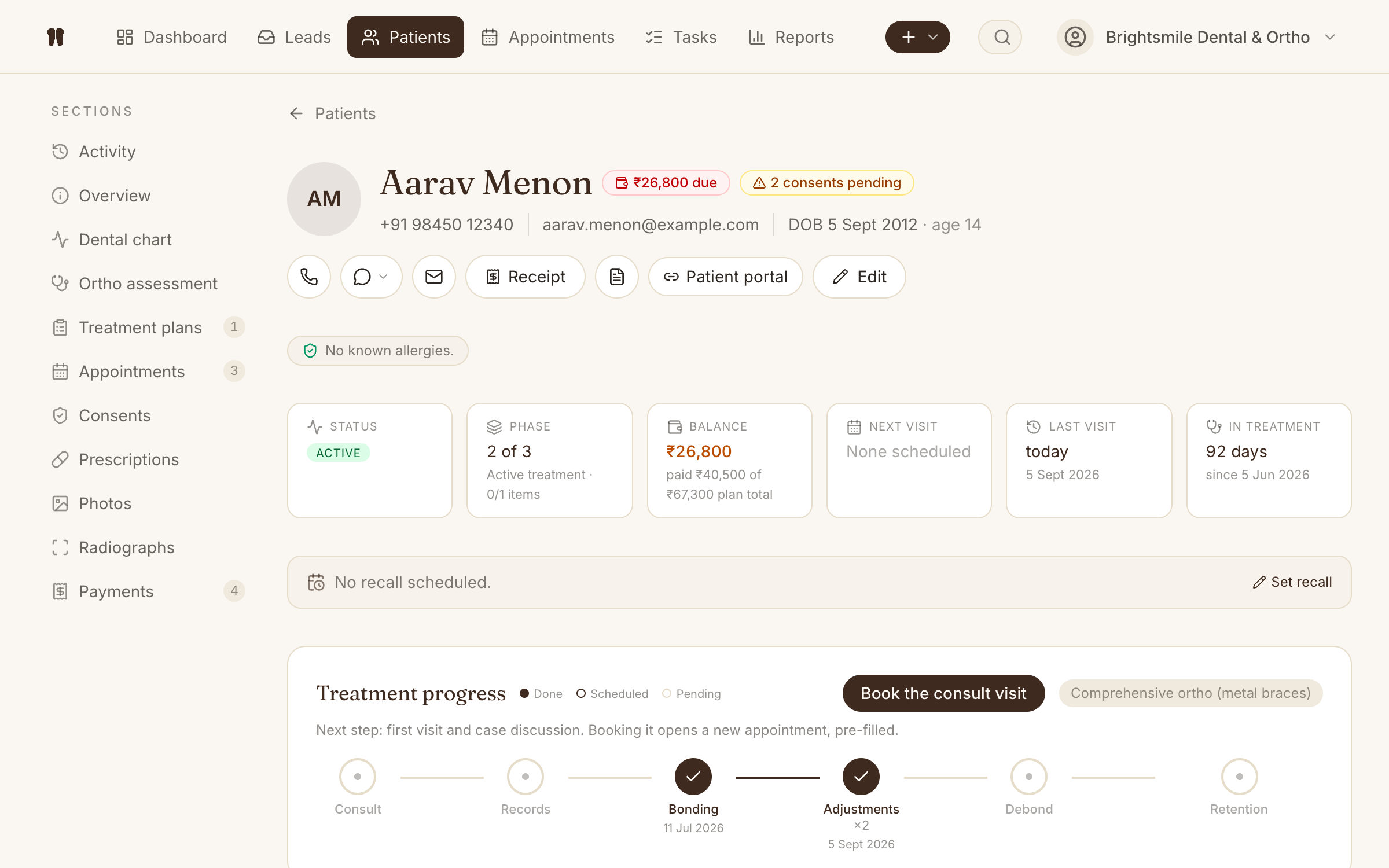
Kythro's patient module stores demographics, medical history, treatment history, photos, radiographs, payments, and notes in a single record. Records open in under a second and can be searched by name, phone, file number, or referrer.
The problem this removes
Paper files, scattered Excel sheets, and folders of x-rays make it impossible to see a patient's full history at a glance.
How Patients works in Kythro
- •Single patient record with demographics, history, and contact info
- •Linked photos, radiographs, treatment plans, and payments
- •Search by name, phone, file number, or referrer
- •Soft archive instead of delete, so old patients never disappear
- •WhatsApp message thread per patient, viewable inline
Questions about Patients
How does Kythro store patient records?
Each patient is a single document in Google Cloud Firestore, scoped to a clinic. Photos and radiographs are stored in Google Cloud Storage and linked from the patient record. All data is stored in Google Cloud data centers in the United States.
Can I import existing patients from my current software?
Yes. Send a CSV or Excel export and we will help you import patients with their history. Migration support is included on the Scale plan and available as a one time service for other plans.
Are deleted patients really gone?
No. Kythro archives patients instead of deleting them, so historical records, payments, and treatment outcomes are preserved. Archived patients can be restored at any time.
Related features
Appointment scheduling
Book, reschedule, and track every appointment with status at a glance.
Treatment plans
Build multi-line treatment plans with pricing, schedule, and patient consent.
Payments and receipts
Record payments, issue itemized receipts, and track patient balance live.
Photos and radiographs
Upload, label, and compare patient photos and x-rays across visits.
Patient recall queue
Active patients with no upcoming visit, sorted by the longest gap first.
Ready to run patients on Kythro?
Start a free 30 day trial. No credit card required.